Agencies and black-box reporting
You hand over account access, pay retainers or percentage cuts of spend, and get a monthly deck of reach and impressions. It still cannot tell you how many guests actually sat down.
Run Facebook and Instagram ads from your own Meta ad account, inside rules you set in TablePort. Lock a monthly cap Meta enforces itself, approve every ad before it goes live, and compare Meta spend against the bookings that actually sat down.
Early access, switched on per restaurant by our team. Your own Meta ad account. You pay Meta directly. No cut of ad spend.

The problem
You hand over account access, pay retainers or percentage cuts of spend, and get a monthly deck of reach and impressions. It still cannot tell you how many guests actually sat down.
Generic ad setups do not know what your booking diary looks like. They keep spending on nights you were going to fill anyway, or run past what you meant to commit.
Tracking pixels that load on arrival and exported email lists uploaded without separate consent leave the restaurant carrying UK GDPR and PECR risk.
How it works
Nothing can spend until every readiness check is green, Meta confirms your spending limit, and a person approves the campaign.
TablePort Ads is enabled per restaurant. We complete legal and ownership checks together, and you declare your business size for UK healthier-food (HFSS) rules.
Connect the Meta ad account, pixel and Business Manager your restaurant owns and pays directly. Save your monthly cap and we mirror it to Meta as the account spending limit.
Build a campaign with a real, unaltered photo of what you serve. The creative check flags text limits, unapproved offers and HFSS rules before a person approves it.
Approved campaigns publish to Meta paused first. They go live only while every readiness check passes, never on blocked weekdays, and pause when a service reaches your fill threshold.
Control by design
Your settings in TablePort act as your written instructions. Campaigns start paused, follow your blocked days and fill limits, and log every decision with who made it.
You pay Meta directly on your own card. TablePort never holds ad money and never takes a cut of spend.
Your cap is set as Meta's account spending limit and read back to verify remaining room before anything delivers.
Block busy weekdays in your venue's local time, and pause promotion once forecast bookings reach your threshold.
A person approves every action for at least the first 60 days. Pacing spreads spend evenly; later automatic adjustments move in small daily steps inside your cap.
One emergency stop halts every published campaign on Meta at once. Every approval, publish, budget change and pause is logged.
Proof you can trust
TablePort shows two sources side by side and never blends them: what Meta reports for delivery, and which bookings through the ad's link actually came in and paid a bill.
Ad previews and creative check
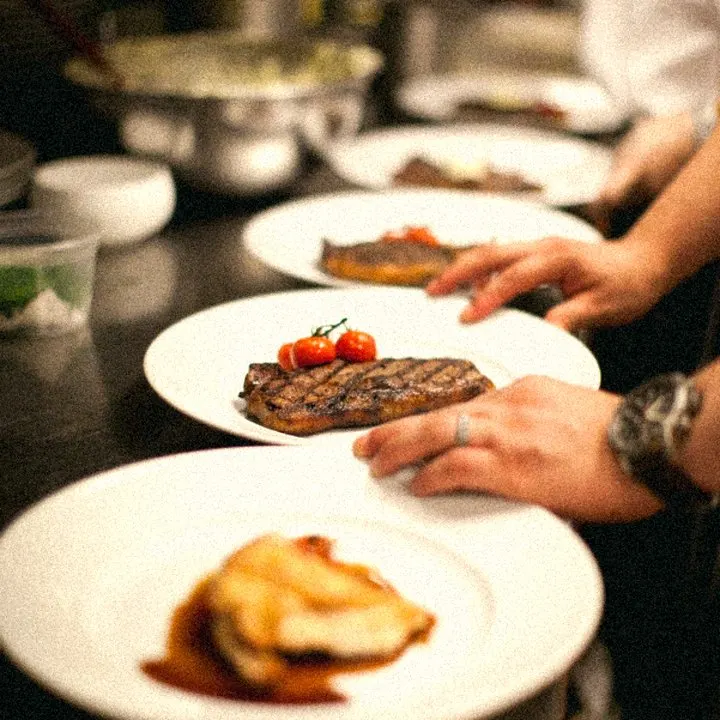
Preview how your real dish photo, headline and Book now button sit across Facebook feed, Instagram feed, Instagram story and Facebook story before you press approve.
Chargrilled bavette and seasonal plates straight off the pass. Book a midweek dinner table in Soho.
Privacy and consent
Guests decide on your booking site whether advertising cookies load and whether their booking details may be used for ads. Default is deny, and every sent event is checked against the consent record.
Ad cookies and Meta's pixel stay off until a guest says yes on your booking site. Reject and Accept appear at the same size and weight, and Global Privacy Control is respected automatically.
Using booking details for ad audiences is a separate, unticked choice. Custom audiences include only opted-in guests who booked in the last 13 months, and only when at least 100 guests qualify.
Nothing about a guest reaches Meta without that guest's consent. Contact details are hashed with SHA-256 before sending, and only allowlisted fields can leave TablePort: allergies, dietary notes, guest notes and order lines are never sent.
Withdrawals or erasure requests purge unsent events and queue removal from your ad audience within 24 hours. Stored ad data is deleted after 90 days, and a nightly audit pauses campaigns automatically if any sent row fails re-check.
Straight answers
Before you ask us to switch it on, here is what we will not promise and what we do not do.
Paid ads depend on your neighbourhood, your dishes, your photography and the night of the week. We never promise seated covers or guaranteed return on ad spend.
You pay Meta directly from your own ad account. TablePort never holds your media budget and never takes a percentage of what you spend.
Early access is switched on per restaurant by our team after legal and ownership checks. Accounts start paused, and campaigns publish paused until every check is done.
TablePort Ads runs on Facebook and Instagram through Meta today. We only describe what is built and live in the console.
Questions, answered
Want to check how early access works for your site? Talk to us.

Early access
TablePort Ads is switched on per restaurant by our team. Book a walkthrough or get in touch to ask for early access.